
How to Search Zapata County Civil Dockets
Use iDocket, the identified local district and county system. Its documented fields include state, county, litigant, category, case type, court, attorney, filing and disposition date ranges, and plaintiff, defendant, or either role. A guest search may find a cause number, while detailed history and images can require subscriber access.
No official source reviewed gives a Zapata-specific number format. Start with a name, select Civil and the right court, and use partial spelling or Soundex where supported. Add an initial, date, or type to narrow results. Remove filters to broaden them.
- Select Texas, Zapata County, Civil, and the proper court.
- Search by party name or an exact clerk-supplied cause number.
- Compare roles, filing dates, court, and case type.
- Review actions, motions, orders, settings, and disposition.
- Request the public judgment or certified copy from its custodian.
Zapata County Civil Dockets Split by Court
District civil and family cases start with the District Clerk. Probate, wills, and guardianship matters start with the County Clerk. Small claims and forcible-detainer cases start with the assigned JP precinct. The county materials state a $5,000 small-claims limit for its Justice Courts. Because four JP offices keep separate work, “Zapata JP” alone is not a complete court identification.
Start with case type and court, not a general property-record search. LGS is linked by the County Clerk, but the interface fields were not verified and should not be described as a complete civil docket.
What a Civil Docket Shows
The case history can index core case facts and each filed action, but it is not always the complete case file or calendar. Public display and image access vary.
| Cause number | The exact court identifier; a local pattern was not published. |
|---|---|
| Parties | Plaintiff and defendant or petitioner and respondent roles. |
| Filings | Petition, answer, citation, service item, exhibit, or other action. |
| Motions | Requests and related orders, when publicly displayed. |
| Judgment | Disposition date and judgment, dismissal, or other final order. |
Zapata County Civil Search Fields
Role filters help distinguish a plaintiff from a defendant when names repeat. Attorney, filing-date, disposition-date, court, and case-type filters can refine a long list. These controls are documented by iDocket help but are not guaranteed in each guest screen. The history may list costs, payments, documents, and actions while leaving the underlying image behind a separate access step.
A missing image does not mean no paper was filed. Ask the responsible clerk for the public copy and specify the cause number, style, filing date, document title, and delivery format.
Types of Civil Cases on the Zapata County Docket
Zapata County civil work spans district, county, probate, family, guardianship, and justice jurisdiction. The category directs the search to the right custodian.
- District civil pleadings, motions, orders, and judgments
- District family matters, subject to added access limits
- Probate, wills, and guardianships kept by the County Clerk
- JP small claims within the documented local limit
- Forcible-detainer and specified personal-property lien cases
Zapata County Civil Caseload Signals
OCA's September 2023 through August 2024 report shows 490 active district civil matters at the start, 4 reactivated, 225 added, 171 disposed, and 548 active at year end. Family activity opened with 260 active matters, added 88, disposed 97, placed 6 inactive, and ended with 252 active.
These are aggregate counts, not case results. They provide workload context but cannot prove delay, fault, status, or an outcome for one Zapata County civil docket.
Settings and Hearings on Civil Dockets
iDocket cautions that case history does not always reflect hearing dates because a coordinator or administrator may keep the calendar separately. A motion or order can appear without a calendar entry. A date on a calendar also does not prove the hearing occurred.
Confirm the setting with the named court. The 49th District Court lists (956) 765-9935, the District Clerk lists (956) 765-9930, and the County Clerk lists (956) 765-9915. Each JP has its own number and docket. The Zapata County court calendar explains date verification.
Zapata County Civil Record Custodians
The District Clerk is in Suite 119 and the County Clerk is in Suite 138 at 200 E. 7th Avenue, Zapata, Texas. Searchers may use the portal, call, visit the counter, or make a focused written request. Mail and fax details are published, but intake, cost, timing, and payment methods should be confirmed.
The official County Clerk page identifies probate, wills, guardianship, and county functions.
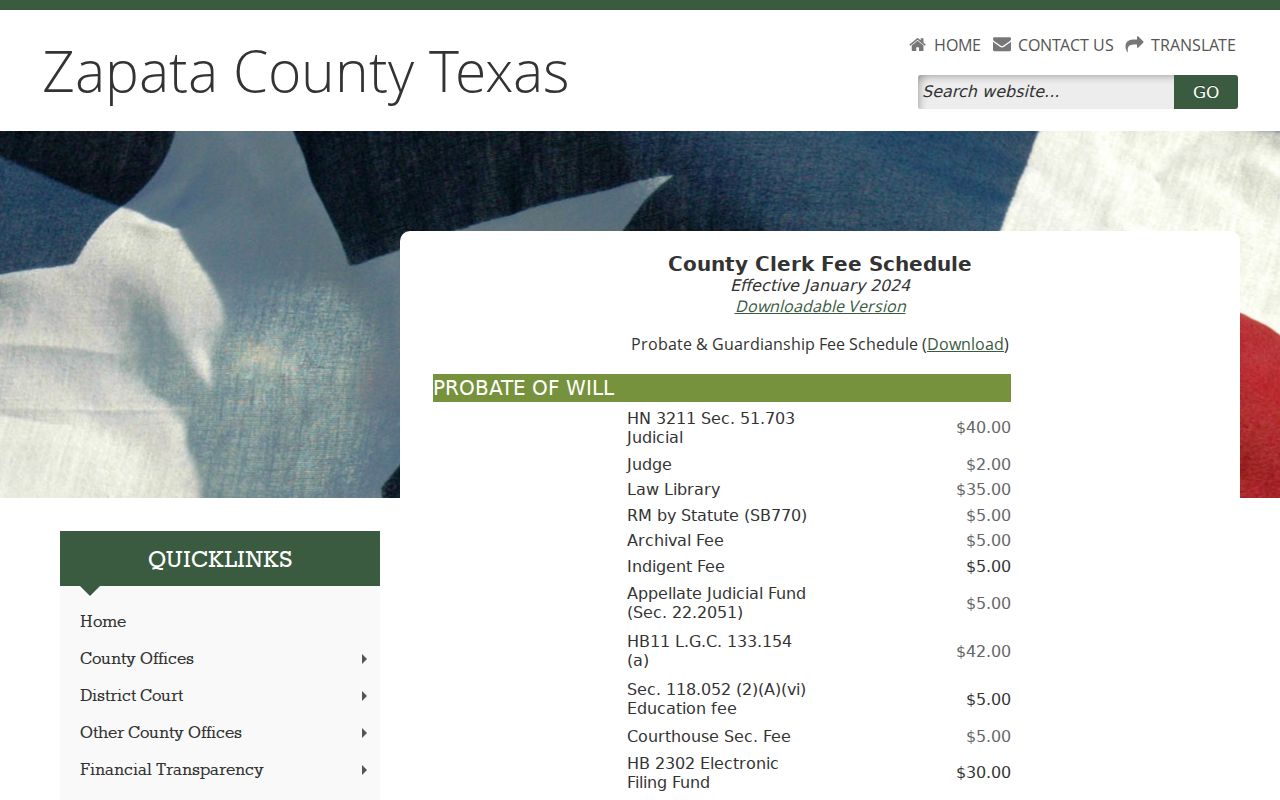
The captured office page helps route a request, but it does not establish that every document is online.
Zapata County Civil Copy Requests
A civil docket entry is an index to activity, not always the document that resolves the dispute. When an iDocket result lists a petition, answer, citation, motion, order, or judgment without an available image, direct the request to the office that owns the file. The District Clerk handles district civil and family matters. The County Clerk is the first contact for probate, wills, guardianship, and Constitutional County Court records. Each Justice Court keeps its own precinct-level small-claims and forcible-detainer work.
Give the clerk the exact cause number when known, the case style or party names, the court, the filing date or date range, and the title of the requested item. State whether a plain copy is enough or whether certification is needed. The County Clerk's January 2024 schedule lists $1 per page for official-record copies and a $5 certification charge in addition to the page cost. That published schedule should not be transferred to District Clerk or JP case copies, because separate current amounts were not located in the reviewed material.
Searchers can call, visit the proper counter, or ask whether a written request by mail, fax, or confirmed email is accepted. The county publishes office and fax details, but it does not promise one universal request form, immediate production, same-day certification, or a single payment method. Before sending funds, confirm the present cost, processing time, accepted payment, delivery method, and whether the record is available in public form. A narrow request also lets the clerk separate a case-history printout from a filed pleading, signed judgment, calendar notice, or official property record.
If the desired material is a judicial administrative record rather than a case record, Texas Rule of Judicial Administration 12 supplies a different written-request and appeal framework. Ask for the public portion and acknowledge that sealed material and protected data may be withheld or redacted.
Zapata County Probate and JP Boundaries
For probate or guardianship work, do not assume that an official-record property search is the court docket. The County Clerk publishes a separate probate and guardianship fee schedule, which supports that office as the proper starting point, but it does not prove that every filing or exhibit can be viewed online. Ask for the cause-specific docket or named document.
For a JP civil matter, identify the precinct because four Justice Courts maintain separate local activity. The county materials place small claims and forcible detainer in that workflow. A broad “Zapata County court” request may reach the wrong desk. Naming the precinct, case type, parties, approximate filing date, and requested order gives the clerk enough context to distinguish the right docket from another county record series.
Public Access to Zapata County Civil Dockets
A file may be public in part while an attachment, exhibit, or personal field remains restricted. Rule 21c protects specified government identifiers, financial-account data, birth dates, addresses in covered contexts, and minor names. Family, adoption-related, juvenile, and guardianship files can require added limits.
Key rules:
Texas OCA access policy explains the Rule 12 and Texas Public Information Act distinction.
Family Code Chapter 58 governs juvenile confidentiality and sealing.
Sealed orders and legally required redactions control even when an index entry remains visible.