
The Zapata County Court Calendar
The 49th District Court page links an official 2026 Zapata Court Dates PDF. It is the strongest local date source found, but it is a dates notice rather than a party-level daily docket. A partial extract included a July 13, 2026 criminal setting, so the full PDF should be read rather than reconstructed from that one line.
iDocket has a separate View Court Calendars function using court, month, date, and year controls. Its help warns that calendars may omit activity and change. County Court arraignment information and JP appearance dates remain separate local paths.
Zapata County Court Date Notice
The official 49th District Court page supplies the date-notice link and court contact.
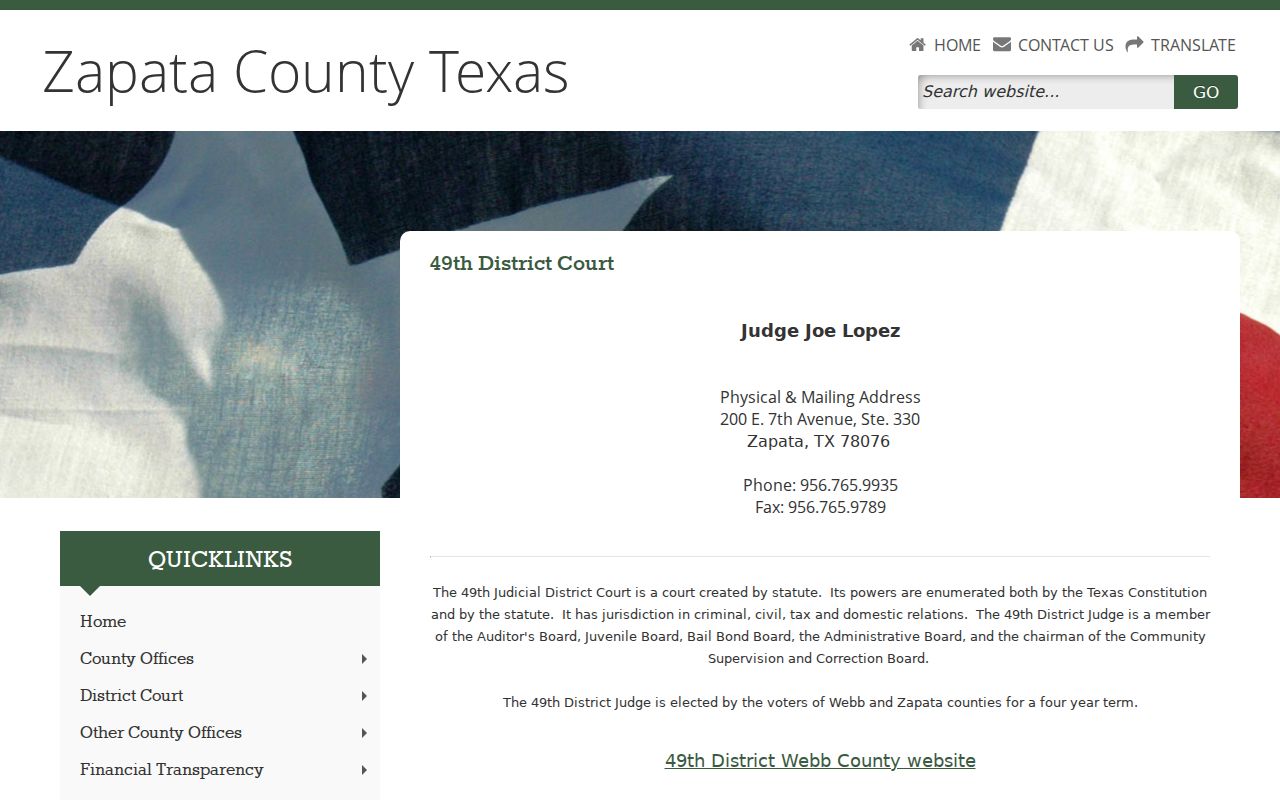
The captured court page is a routing source. Confirm the live notice and current setting with the court before travel.
How to Find Your Zapata County Court Date
Use the official date notice or iDocket first, then verify through the office that controls the setting. Bring the cause number, court, party name, event type, and any notice already received.
- Open the District Court date PDF or select the court and date in iDocket.
- Search the case by name or exact cause number where access permits.
- Check re:SearchTX as a statewide complement, not a complete local calendar.
- Call the District Court, proper clerk, or JP and confirm the date, time, location, and setting type.
- Check the courthouse or courtroom posting and ask counsel about the latest signed scheduling notice.
Zapata County Court Calendar Channels
The 49th District Court lists (956) 765-9935 and Suite 330 at 200 E. 7th Avenue. District file questions go to the District Clerk in Suite 119 at (956) 765-9930. County Court and probate routes use the County Clerk at (956) 765-9915. Four JP offices publish separate contacts, and their posted hours are 8 a.m. to noon and 1 to 5 p.m.
A counter visit, phone confirmation, court posting, attorney notice, the iDocket calendar, official PDF, and re:SearchTX each serve a different role. No reviewed source establishes a universal printed daily calendar or one countywide reminder service. Ask the court whether either is available for the specific setting.
Reading a Zapata County Court Setting
Record only what the source displays. The date notice and iDocket help do not guarantee a party, judge, courtroom, or cause number on every entry. An absent field should remain “not displayed,” not be filled from assumption.
| Date | The published date, which remains subject to change. |
|---|---|
| Time | The listed session or call time, if displayed. |
| Courtroom | The room or building only when the notice supplies it. |
| Judge | The named presiding judge or court, without inference. |
| Setting type | Arraignment, pretrial, hearing, trial, or another stated event. |
Zapata County Calendar and Case History
A calendar answers when a matter is set. Case history answers what filings or actions were entered. iDocket explicitly says a history may not reflect all hearings because a coordinator or administrator can maintain the calendar separately. The two records should be read together.
Published date is a scheduled calendar entry.
Docket entry is an action recorded in the case history.
Disposition is an outcome, not merely a hearing date.
Reset is a moved setting that needs fresh confirmation.
Resets, Continuances, and Cancellations
A reset or continuance may create a new calendar entry, a case-history action, an order, or an updated notice. Since the portal warns that calendars can change and are not all activity, the disappearance of a date is not proof of cancellation.
Confirm a moved setting through the court that issued it and counsel where applicable. Note the source, date checked, court, event type, and who confirmed it. Keep the prior notice until a signed order or reliable court confirmation resolves the conflict.
Zapata County Court Calendar Verification
Before a long trip, call the court and ask whether the setting is still active, whether it is a docket call or individual time, and whether the notice supplies a courtroom. The county transportation note mentions weekday Zapata Express service to Laredo, but it does not establish court hours or prove a ride reaches a hearing on time.
For a Justice Court citation, identify the issuing precinct and allow for processing before expecting a new matter online. The county links GovRec, while an older Precinct 2 vendor page gives separate operational notes. Use the current county-linked path and verify by phone.
Zapata County Calendar Source Checks
A reliable date check records both the source and the time it was checked. Start with the current District Court page and open the linked Zapata date notice rather than relying on a saved copy or a search-result snippet. The researched PDF is labeled for 2026 and functions as a date notice, not a complete daily docket with every party, cause number, judge, courtroom, and event. If the notice omits a field, leave it unreported and ask the court.
Next, compare the notice with iDocket's View Court Calendars function where the participating court publishes data. The documented controls are court, month, date, year, View, Clear, and Back. The system warns that the calendar can change and may not show all activity. Its case history is a separate product. A motion, order, payment, or text event in the history does not itself establish the next appearance date, and a calendar line does not establish that the event occurred or produced a disposition.
For the 49th District Court, use the court's published phone to confirm the setting. District file questions can also go to the District Clerk. County Court arraignment information comes through the County Judge and County Clerk route. Citation appearances belong to the issuing JP precinct, and each of the four Justice Courts maintains separate local activity. A re:SearchTX hearing result can be a useful statewide lead, but variable coverage means it should not override direct local confirmation.
When sources conflict, give the clerk the cause number, party name, prior date, setting type, and the source that showed each date. Ask whether the matter was reset, continued, cancelled, or left on the docket. Keep any signed scheduling order or notice. For a counter visit, call first about closures and access. The JP hours found in county material cannot be assumed for every clerk or courtroom.
Zapata County Travel and Docket Call
The county homepage offers weekday Zapata Express transportation information through its general phone, but that note does not establish court hours, a stop at the right entrance, or arrival before docket call. A rider should confirm the route and then separately confirm the hearing. The same care applies to a long drive from elsewhere in the 49th Judicial District.
Ask whether the time shown is a group docket call or an individual appointment, whether check-in starts earlier, and whether a room or suite is stated. Do not infer those details from another setting. A current clerk confirmation, court notice, or signed scheduling order should control over a saved calendar screen. Record who supplied the update and when, especially after a reset.
What to Do If You Miss a Setting
Contact the court or clerk promptly, give the cause number and missed date, and ask what official step is required. Also contact counsel if represented. Do not assume an online payment, search, or later calendar entry cures a missed appearance.
Missed a setting? Zapata County's County Court page warns that failure to appear has consequences, and the result depends on the case and court.
Call the issuing court or clerk at once and ask how to confirm status and obtain the next official instruction.
Seek advice from a licensed attorney about the missed setting and any warrant, bond, or plea issue.